Off-Campus Access for eSchool, TAC, and eFinance
Open PawPoint: https://pawpoint.wftigers.org
Be sure you are logged in with your school Microsoft account.
Click on the "Off campus" button to enable the proxy.
Note: The proxy is only active when you attempt to access eSchool, TAC, or eFinance outside of the school network. While you are at school, the button will show "On campus".
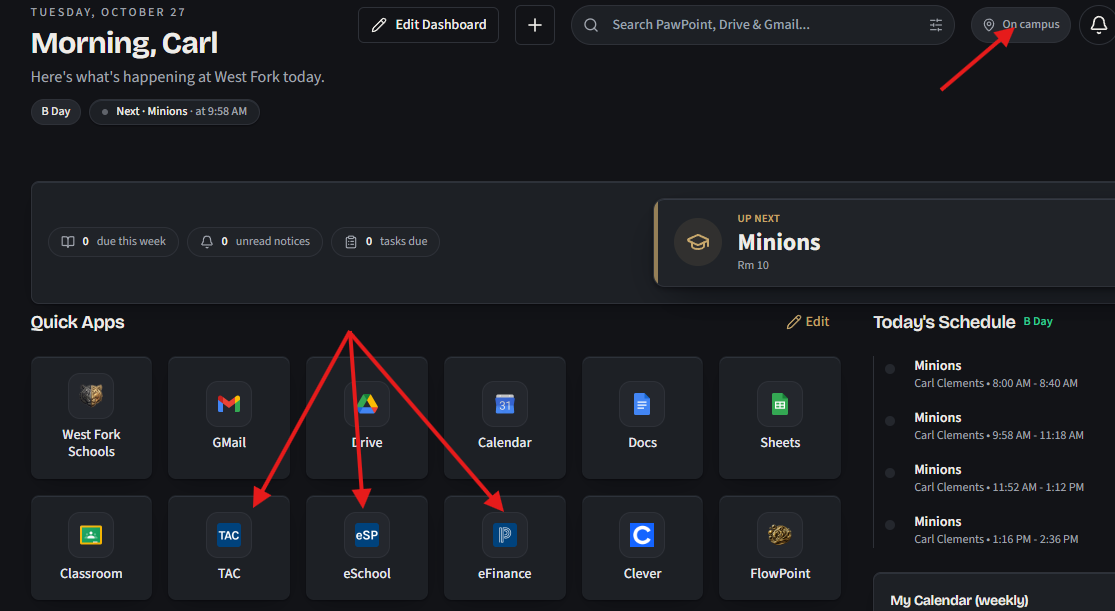
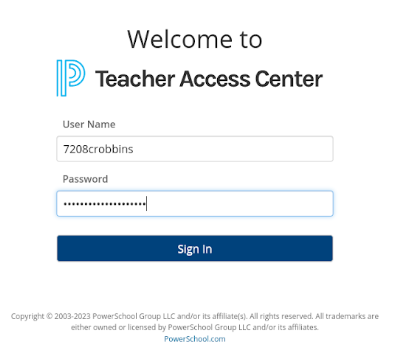
At this point, you may log in to eSchool, TAC, or eFinance using your 7208 username and password.
Things to note:
- You must have sync active within Edge or Chrome
- The proxy only works off-campus
- The proxy blocks ALL traffic to websites that don’t end in either k.12.ar.us or powerschool.com; this means that it is impossible for any personal information to be sent through it.
Originally posted by Carl Clements on the West Fork Technology Hub (2023-04-11).