
Create Gmail Groups and Add Contacts
Importing…If there is a group of people you contact regularly it makes sense to create a contact group in Gmail to save a few minutes.
To begin, log in to your school Gmail account.
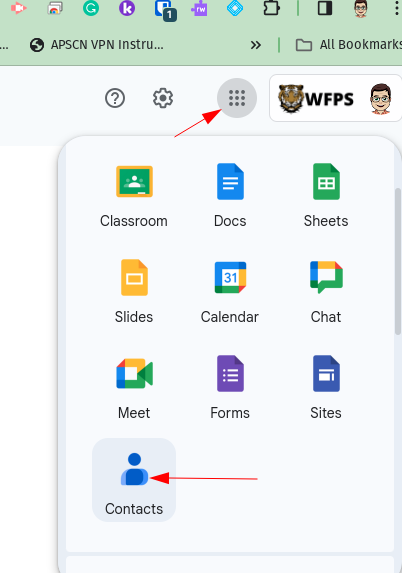
Click on the waffle icon to the right of the screen and select Contacts.
Scroll down a bit to the Labels section and click the plus sign.

Create a name for the Group
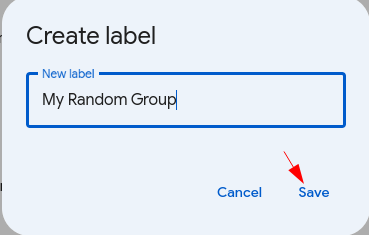
There are several ways to add contacts to a group. Here is the method I prefer:
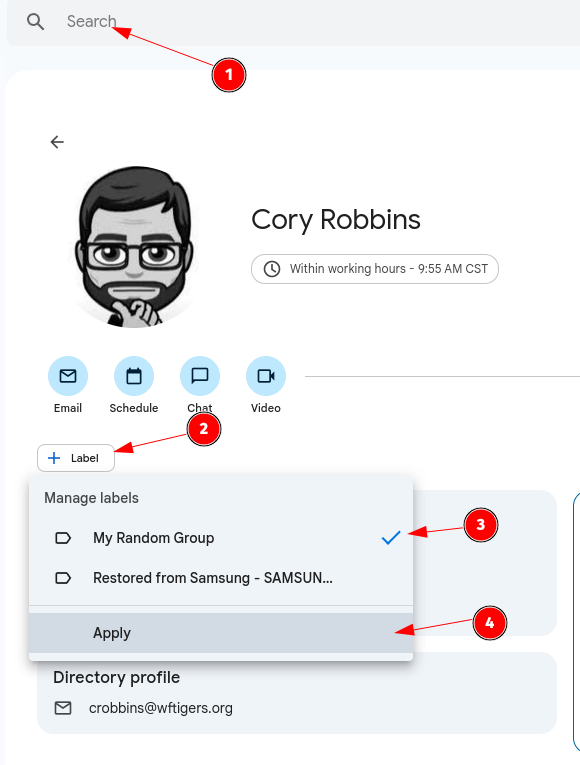
Repeat this process until all members have been added to the group.
Return to Gmail. Compose a message and begin typing the name of the group. It will auto-populate and tell you how many recipients will be included.
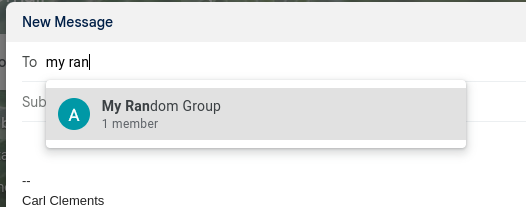
Complete the message as desired and send normally.
Originally posted by Carl Clements on the West Fork Technology Hub (2024-01-24).