
Scan From Copier to Email or Google Drive
Importing…The color copiers offer two delivery options for scanned documents. Scanned documents can be sent by email or saved directly to Google Drive in PDF format.
To get started, use your badge to log on to the copier.
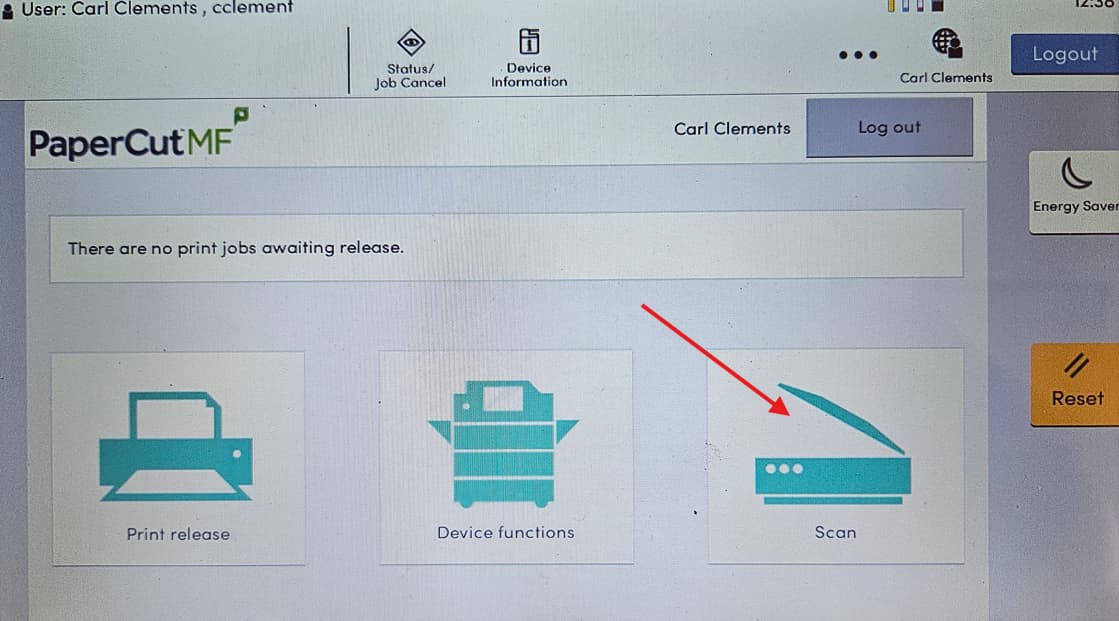
From the home screen, click the Scan button.
Choose either To Email or To Google Drive.
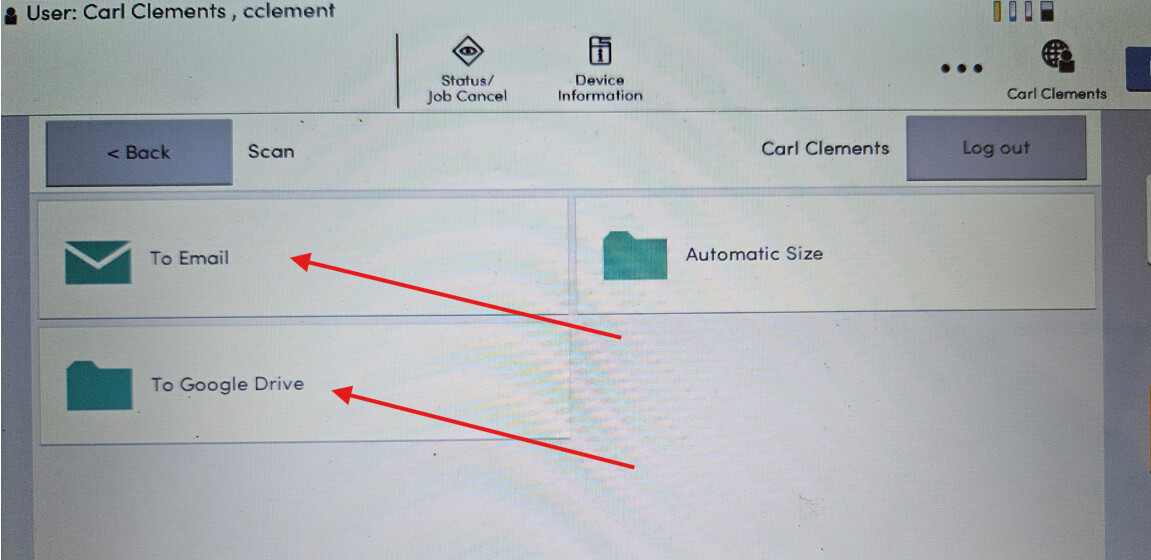
(Click the arrows below for detailed instructions.)
To Email
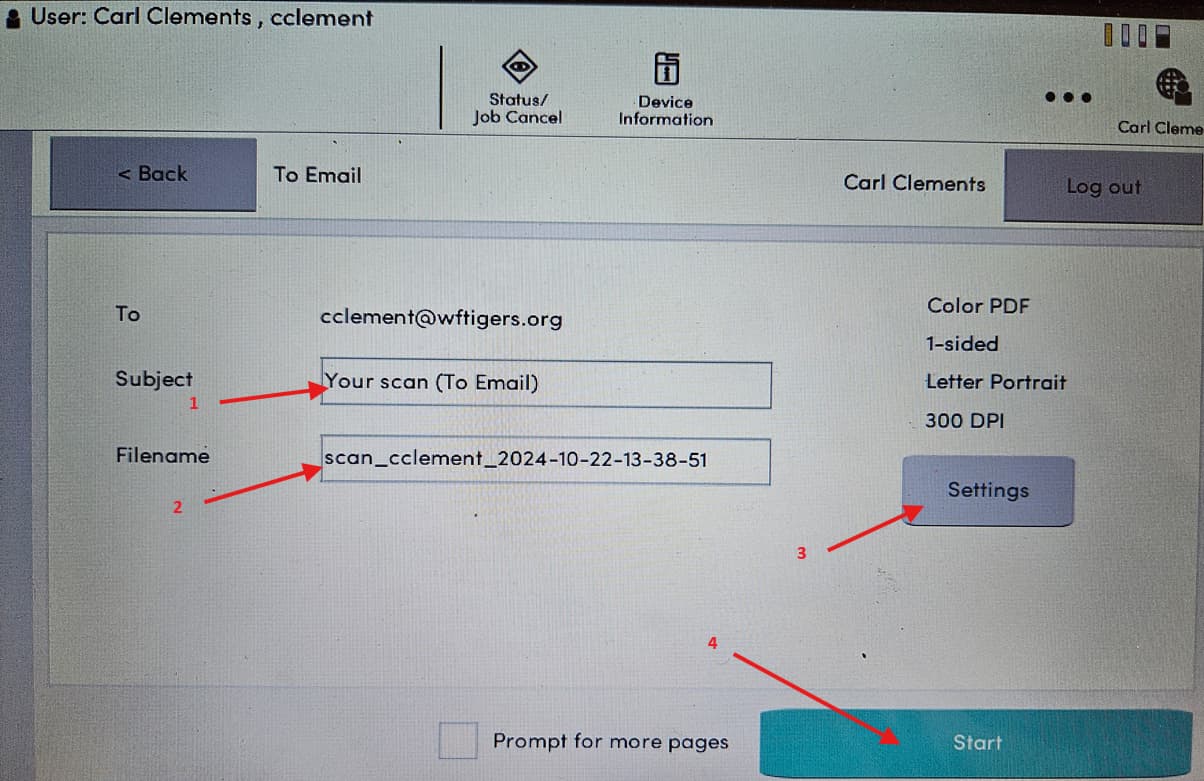

The document will be delivered to your email in pdf format. Note the sender is Tech.
To Google Drive
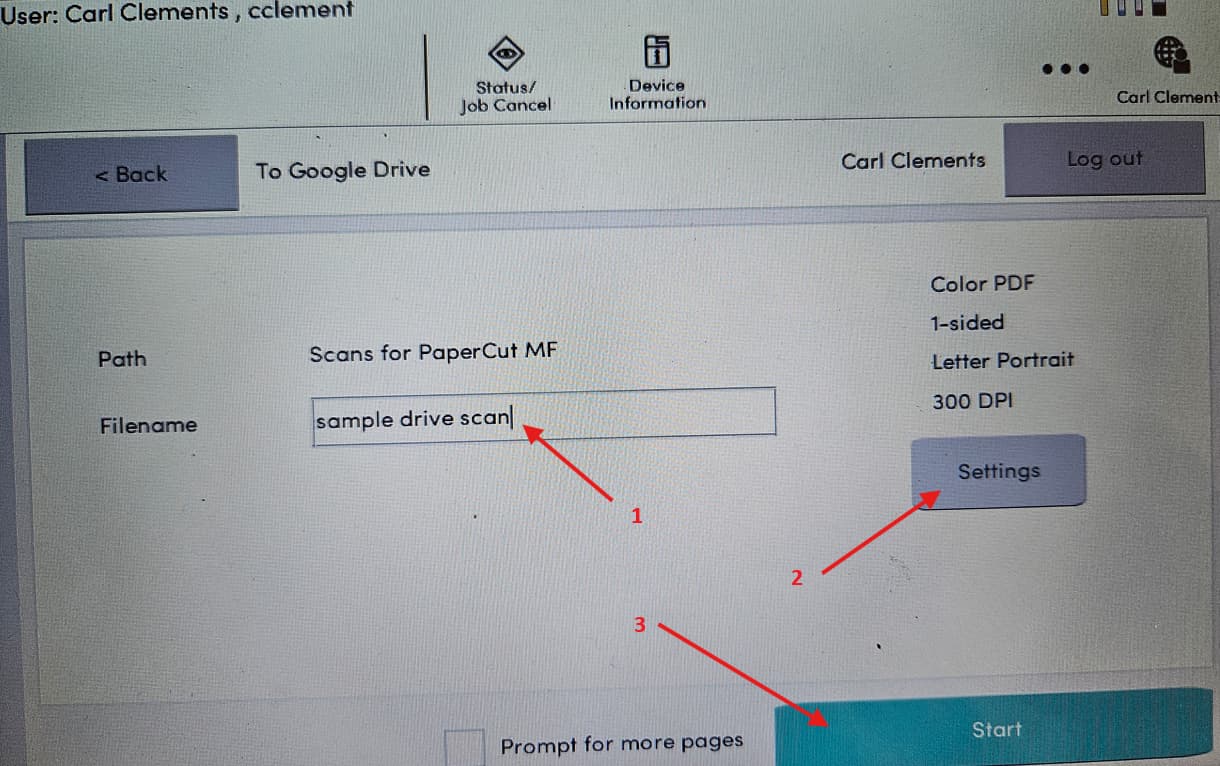
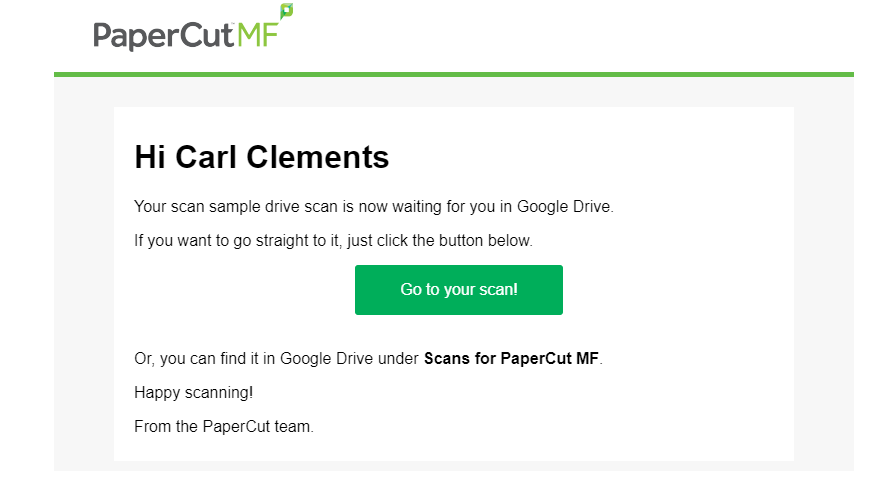
The document will be saved to your Google Drive in a folder called Scans for PaperCut MF. Note: you will also receive an email from Scans for PaperCut with a link to the scanned document.
Originally posted by Carl Clements on the West Fork Technology Hub (2024-10-22).