
Windows 11 - Dark Mode
Importing…Dark Mode is an optional setting in Windows 11 (and many other apps and operating systems) intended to reduce eye strain and conserve battery life. It also makes the screen less jarring in low-light environments.
To enable it for Windows 11:
 Type in “Settings” and press enter.
Click “Personalization” on the left side of the System dialog box.
Type in “Settings” and press enter.
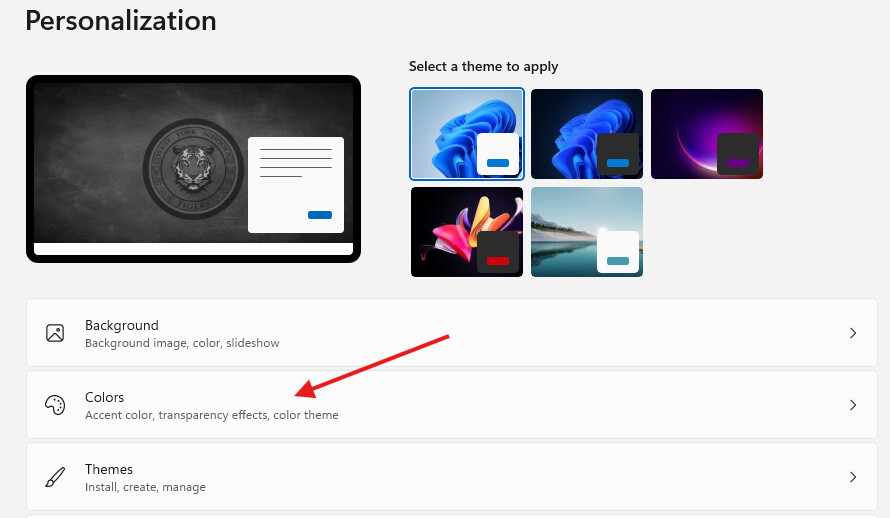
Click “Personalization” on the left side of the System dialog box.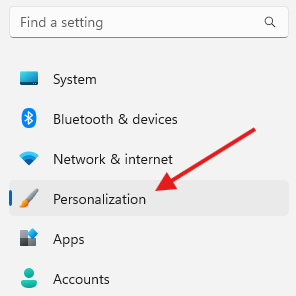 Click “Colors”
 In the “Choose your mode” section select “Dark” from the drop-down menu.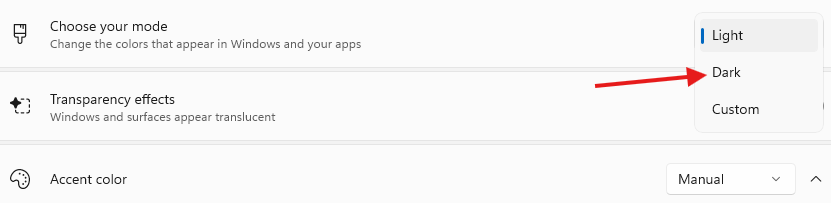
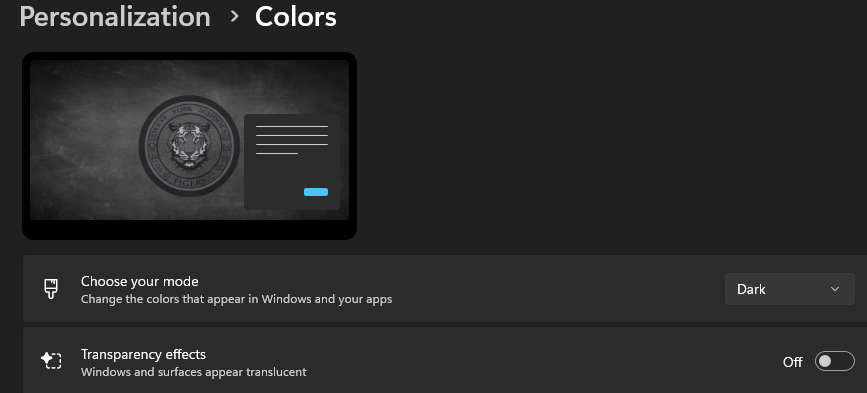
You will notice an immediate change in the appearance of several on-screen items.
Originally posted by Carl Clements on the West Fork Technology Hub (2024-12-03).