
Windows Screen and Power Settings
Importing…If your computer goes to sleep more quickly than you like or prompts you to log in more frequently than you like this article is for you!
Press the Windows key on the keyboard and type sleep
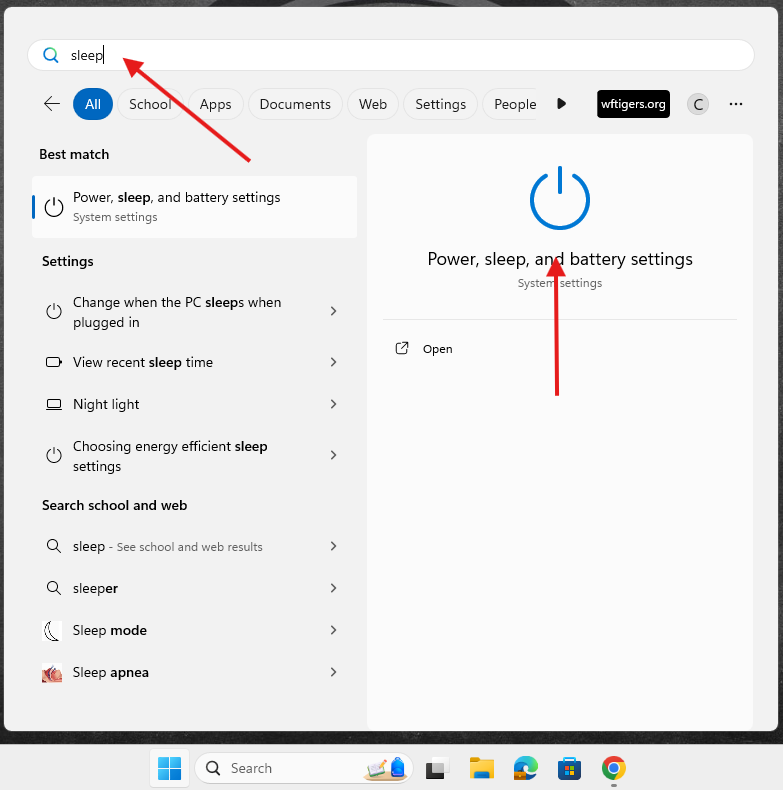
Click on Power, sleep, and battery settings.
The Power and Battery window will open.
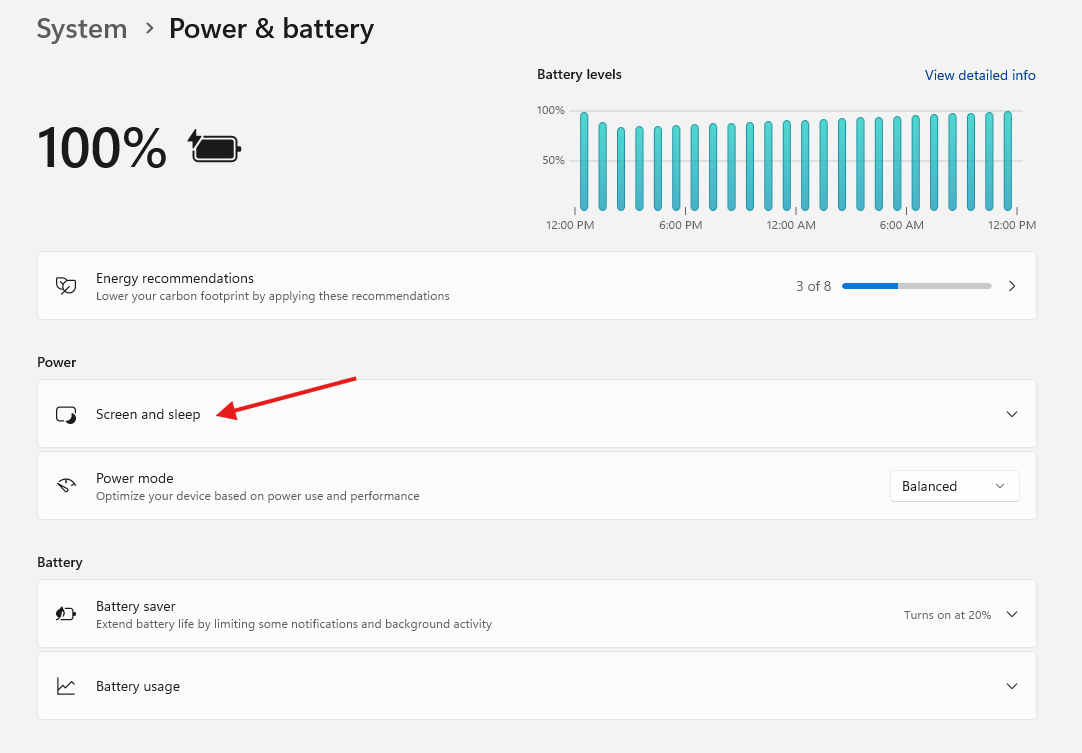
Click on Screen and sleep
The default times for turning the screen off and putting the device to sleep are shown while on battery and plugged in.
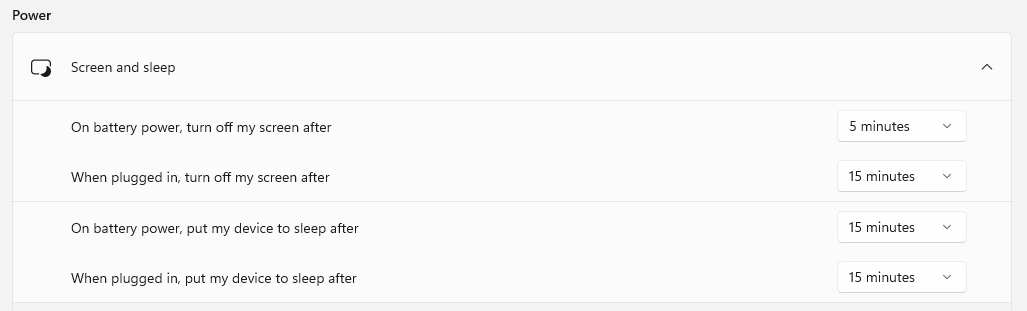
Increase these times as you see fit! There is no save button, the settings will be applied as you select them.
A couple of items to be aware of:
Originally posted by Carl Clements on the West Fork Technology Hub (2024-10-15).