
Clear Cache in Google Chrome
Importing…When you use a browser, like Chrome, it saves some information from websites in its cache and cookies. Clearing them fixes certain problems, like loading or formatting issues on sites.
On your computer, open Chrome.
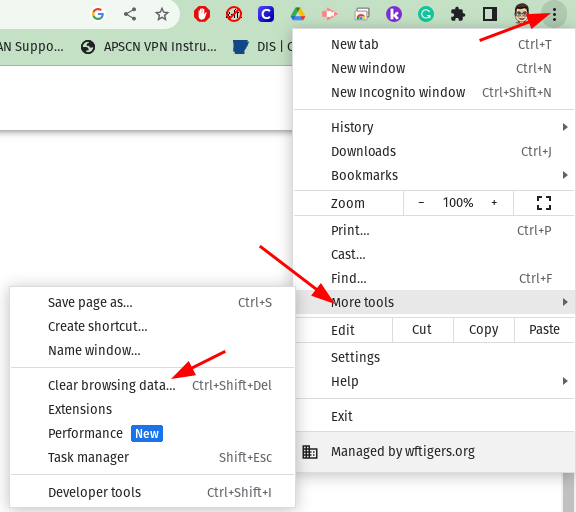
At the top right, click More

Click More tools  Clear browsing data.
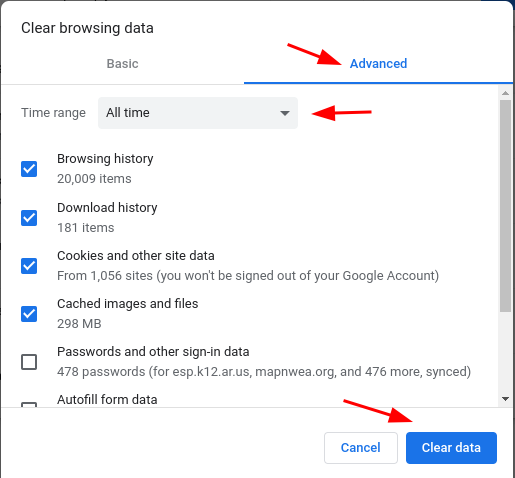
Choose Advanced
At the top, choose a time range. To delete everything, select All time.
Next to “Cookies and other site data” and “Cached images and files,” check the boxes. We recommend checking everything except “Passwords and other sign-in data” and “Autofill form data.”
Click Clear data.
Originally posted by Carl Clements on the West Fork Technology Hub (2023-01-17).