
Windows 11 - Move Start Menu to the Left
Windows 11 introduced a change, moving the start menu from the traditional bottom left of the screen to the center. This doesn’t bother some people😊, but others find it infuriating😡! If you are in the latter group, it only takes a few clicks to move the start menu back to the left.
-
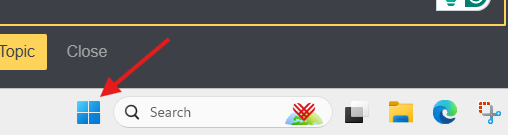
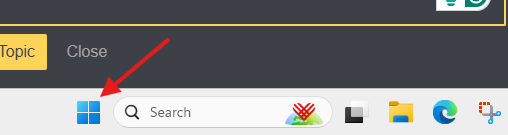
Click on the Start Menu.
-
Type in “Settings” and press enter.
-
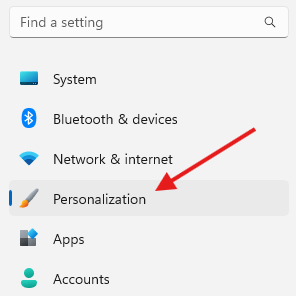
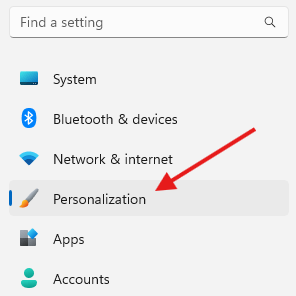
Click “Personalization” on the left side of the System dialog box.
-
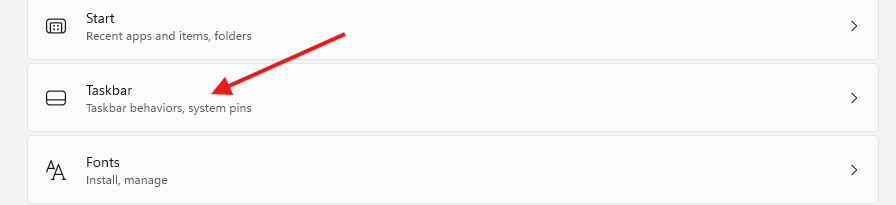
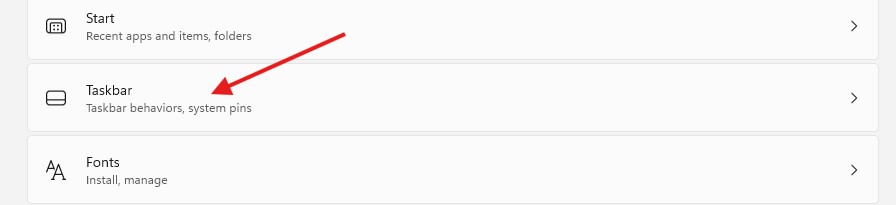
Scroll down a bit and click on “Taskbar”
-
Click “Taskbar behaviors”

-
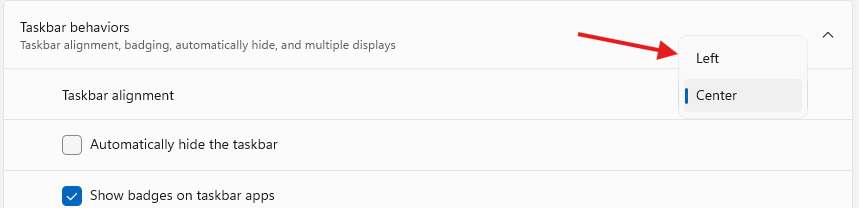
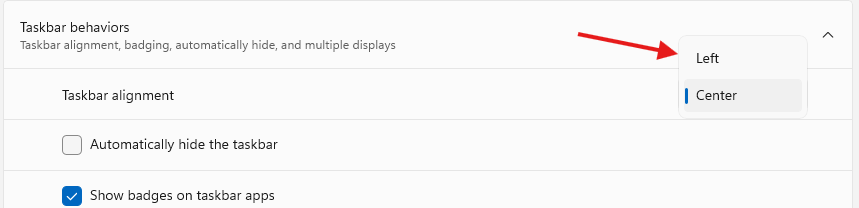
This will expand the Taskbar behaviors menu. There is a drop-down menu to the right of Taskbar alignment. Select “Left” in the drop-down menu.

Originally posted by Carl Clements on the West Fork Technology Hub (2024-12-03).
No comments to display
No comments to display