
Windows 11 - Pin Application to Start or Taskbar
If an application is frequently used, consider adding a shortcut to the start menu or the taskbar to save searching for or navigating to it.
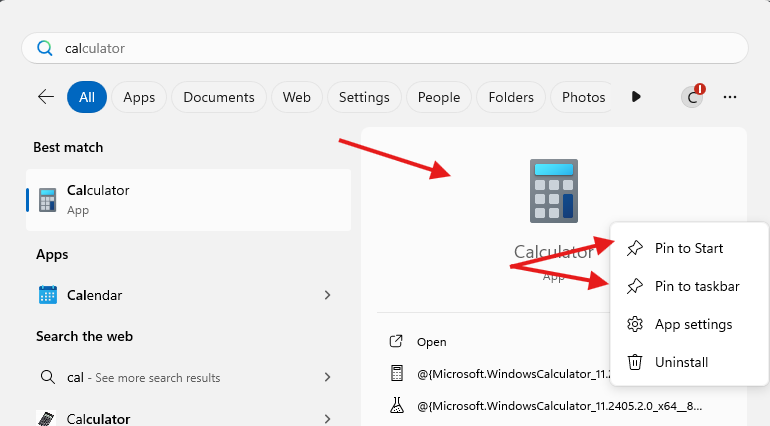
To get started, click the Windows icon and type in the application’s name. In this example, we will use the calculator app.

Right-clicking the application reveals the option to “Pin to Start” or “Pin to taskbar.”
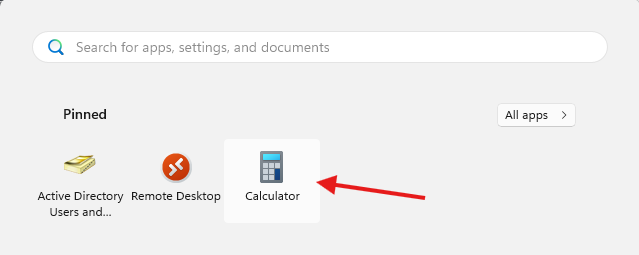
Pin to Start places a shortcut on the start menu.
Pin to taskbar places a shortcut on the taskbar at the bottom of the screen.

Originally posted by Carl Clements on the West Fork Technology Hub (2024-11-13).
No comments to display
No comments to display