
How to Archive Your Google Classroom Courses
These steps will help you archive Google Classroom Courses that are no longer needed. Please note that archived courses can still be viewed and even restored if a mistake is made.
- Go to classroom.google.com
- Find the course(s) that you need to archive
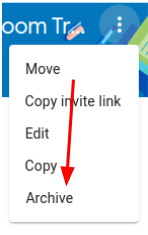
- On the course of your choice, click the three dots in the upper right corner.

- Click on the Archive link.

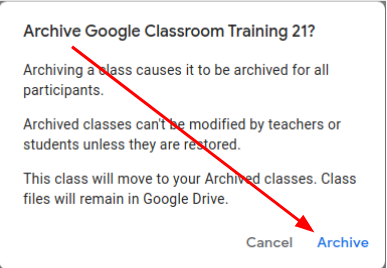
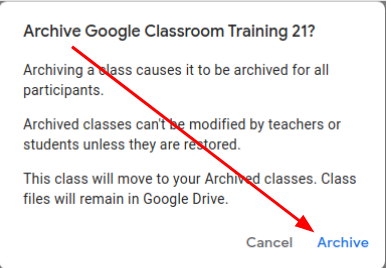
- Confirm that you do want to archive by clicking archive on the popup box.

That’s it, you’re done!
If you need to access an archived class, you can get to it from the hamburger menu in the top left corner of the window and then clicking archived classes. You can also use the 3 dots from there to restore your class.
Originally posted by Cory Robbins on the West Fork Technology Hub (2023-07-07).
No comments to display
No comments to display